Today's £1 PC has been found - View more epic savings and flash deals >>

Most Viewed
Latest Arrivals
  • PCs
  • Components
  • Graphics Cards
  • Motherboard bundles
  • Accessories
  • Monitors
  • Black Friday
Pay in 3 with PayPal
Game-ready PCs bundles
Black Friday Price Promise
3 year PC warranty*

Today's £1 PC has been found - View more epic savings and flash deals >>

Is Your PC Ready for Windows 11? Here’s How to Check

Windows 10 support ends on October 14th, 2025 — upgrade to Windows 11 for stronger security, new features like DirectStorage and AutoHDR, and long-term compatibility. CCL Computers has the parts, bundles, and pre-built PCs to make your upgrade simple.

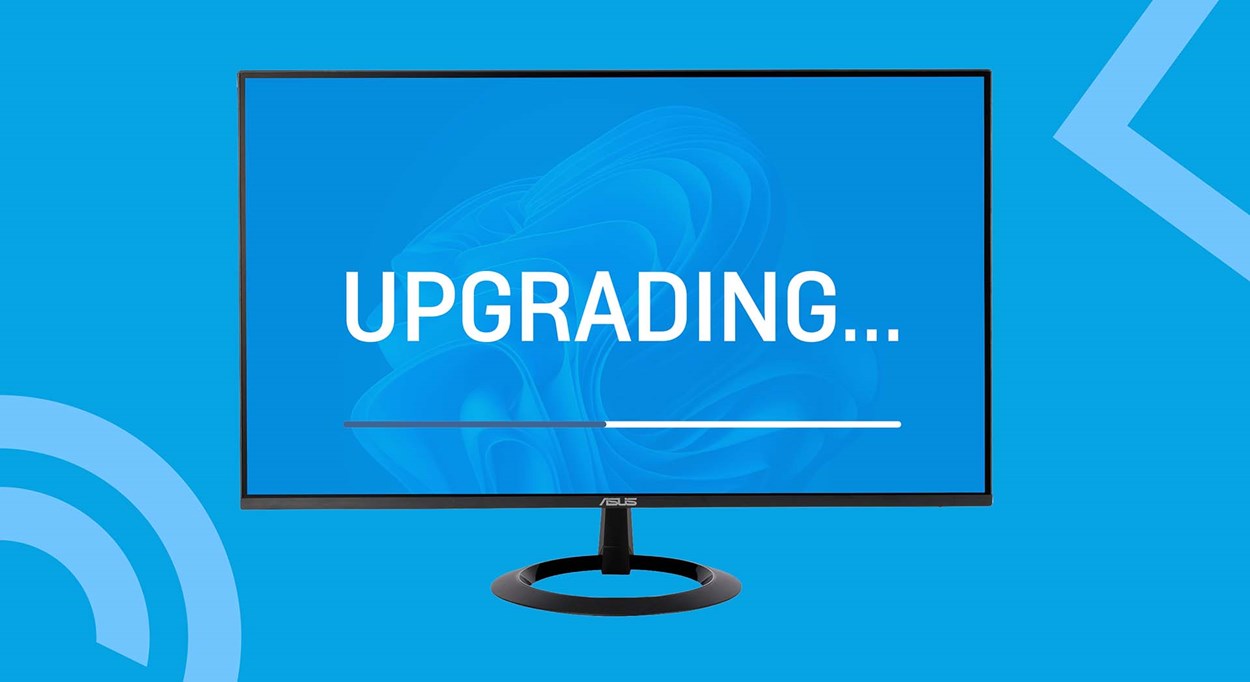
Illustration of a computer monitor displaying the word ‘Upgrading…’ with a progress bar, symbolising the upgrade process to Windows 11.

Introduction

On October 14th, 2025, Microsoft will officially end support for Windows 10. That means no more security updates, no bug fixes, and no improvements. While your PC running Windows 10 won’t suddenly stop working, it will become increasingly vulnerable and less compatible with modern software and games.

The good news? If you’re already on Windows 10, the upgrade to Windows 11 is completely free. But here’s the catch: not every PC will meet the new requirements. That’s where we come in.

At CCL Computers, we make upgrading simple. Instead of struggling to figure out which individual parts you need, our motherboard bundles and pre-built systems give you everything in one package — tested, Windows 11–ready, and backed by warranty. Whether you want to refresh an older system with a bundle or get a brand-new PC that’s ready out of the box, we’ve got you covered.

Scroll down to explore our top recommendations — the easiest, most reliable way to move to Windows 11.

Why Upgrading to Windows 11 Is Important

Security

Windows 11 has been built with security at its core. Features like Secure Boot (which checks that only trusted software runs when you turn on your PC) and TPM 2.0 ensure your PC starts safely and keeps sensitive information locked away in hardware. Without ongoing Windows 10 updates, you’ll be left exposed to cyberattacks — upgrading ensures you’re protected.

New Features

Windows 11 also unlocks exciting features that game developers and software creators will increasingly depend on:

DirectStorage: drastically reduces loading times by letting games pull data directly from your SSD to your graphics card.

AutoHDR: boosts visuals in games by automatically improving lighting and contrast, even in titles that weren’t originally designed with HDR in mind.

While Microsoft has made some of these features available on Windows 10 through patches, this support ends with Windows 10’s life cycle. Moving forward, these features — and future innovations — will be exclusive to Windows 11.

Future-Proofing

Simply put: as new games and applications are released, they will be built with Windows 11 in mind. Staying on Windows 10 means missing out on performance improvements, graphical upgrades, and compatibility. Upgrading today means your PC stays relevant tomorrow.

How to Check if Your PC Is Compatible

Method 1: Microsoft PC Health Check App

The easiest way is by downloading the official PC Health Check App from Microsoft. Run it and click “Check now” under the Windows 11 section. The tool will tell you whether your PC meets the requirements — and if not, which part is holding you back (CPU, TPM, Secure Boot, etc.).
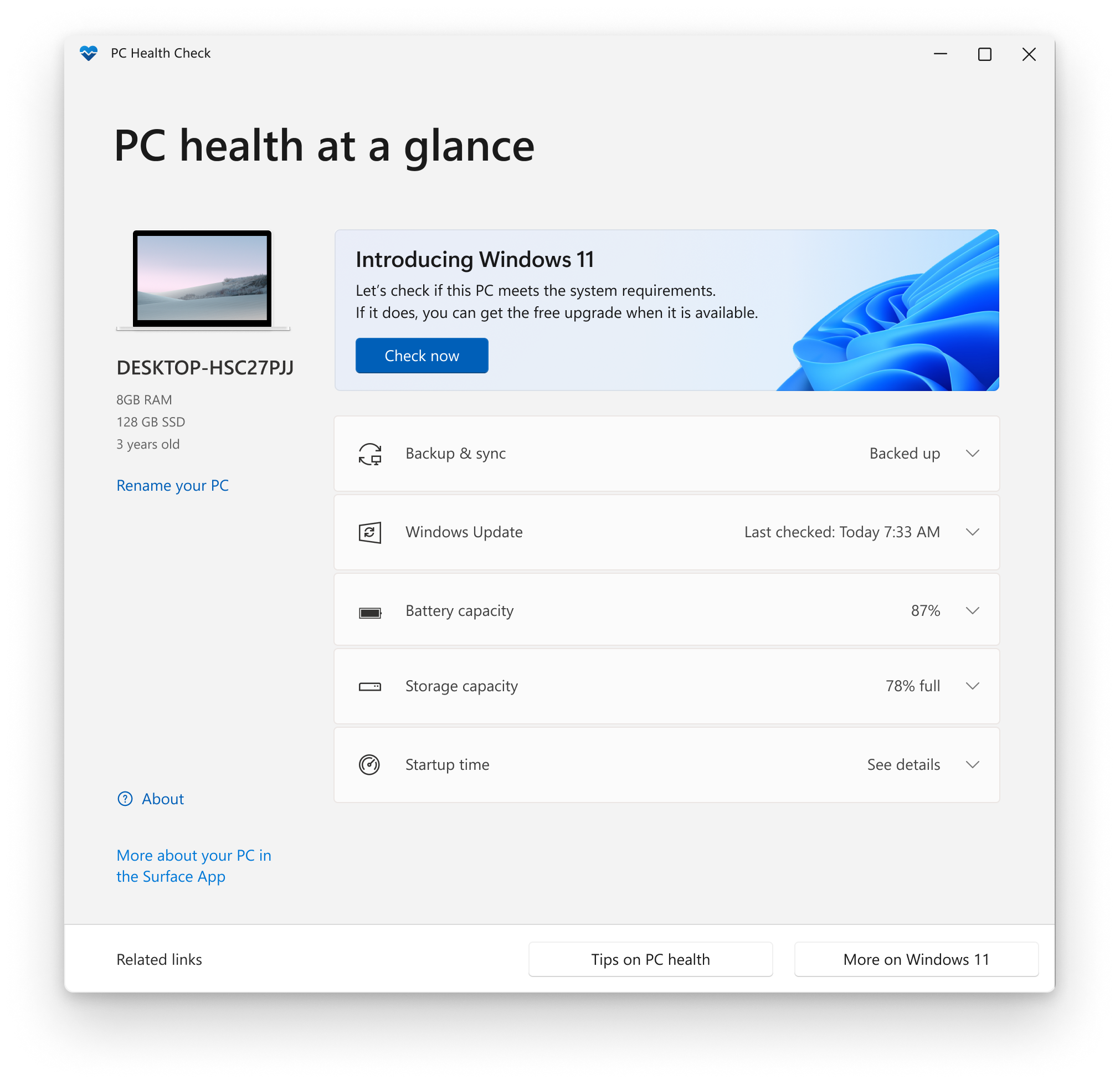
Screenshot of Microsoft’s PC Health Check app showing system details and the option to check if the PC meets Windows 11 requirements.

Method 2: Manual Compatibility Check

Here are the core requirements for Windows 11:

  • CPU: Intel 8th gen (2017) or newer, or AMD Ryzen 2000 (2018) or newer.
  • RAM: Minimum 4 GB (we recommend 8 GB+ for smooth performance).
  • Storage: At least 64 GB of free space.
  • System Firmware: Must support UEFI with Secure Boot enabled.
  • TPM 2.0: Trusted Platform Module version 2.0.
  • Graphics: DirectX 12 capable GPU with a WDDM 2.0 driver.
  • Display: At least 9 inches, with a resolution of 1280×720 (720p) or higher.

Understanding the Requirements

CPU (Processor)

The CPU is like the “brain” of your computer. Windows 11 needs a fairly modern brain so it can think quickly and securely. Older processors can’t handle some of the new security features.

At CCL Computers, every CPU we sell is fully compatible with Windows 11, so you can shop with confidence knowing your upgrade will work.

You can explore all our CPU options here.

RAM (Memory)

RAM is like your desk space — it’s where your computer keeps things it’s working on right now. The bigger the desk, the more jobs it can handle at once. Windows 11 needs at least 4 GB, but for a smooth experience we recommend 8 GB or more. If you play games or like to have lots of apps open (like Chrome, Discord, or streaming software), 16 GB or 32 GB makes things much faster.

You can explore all our RAM options here.

Storage (Hard Drive or SSD)

Storage is like the filing cabinet where your computer keeps all your files and programs. Windows 11 needs at least 64 GB of space to install. But if you want speed, an SSD (Solid State Drive) is much better than an old-fashioned hard drive. An SSD makes your PC start up faster and loads games and apps much quicker.

You can explore all our storage options here.

Firmware: UEFI & Secure Boot

When you turn on your PC, something has to wake it up and get Windows started — that’s the firmware. The old version is called BIOS, and the new, safer version is called UEFI.
Secure Boot is a feature in UEFI that only lets trusted software load when you start your computer, stopping viruses before they even get a chance to run.

How to check:

  • Press Win + R → type msinfo32 → press Enter.

  • Look for:

    • BIOS Mode → should say UEFI.

    • Secure Boot State → should say On.

If it says Legacy BIOS, you’ll need to reinstall Windows in UEFI mode. If Secure Boot is off, you can enable it in your BIOS/UEFI settings.

TPM 2.0

TPM is like a little safe inside your computer. It protects important things like passwords, PINs, and security keys so hackers can’t steal them. Most modern PCs already have TPM 2.0 built in — you might just need to switch it on in your settings.

How to check:

  • Press Win + R → type tpm.msc → press Enter.
  • Look for Specification Version 2.0.

If it’s missing, you can usually enable it in BIOS:

AMD → look for fTPM.

Intel → look for PTT.

Graphics (GPU)

The graphics card (or GPU) is what creates the images you see on your screen. Windows 11 needs one that supports DirectX 12, which basically means it can handle modern graphics. If you’ve played games on Windows 10 recently and updated your drivers, you’re probably already fine.

How to check:

  • Press Win + R → type dxdiag → Display tab → check Feature Levels (should show 12_0 or higher).

  • Save the report → look for Driver Model (should say WDDM 2.0 or higher).

At CCL Computers, all the graphics cards we sell are fully compatible with Windows 11, so upgrading through us guarantees support. 

You can view all our graphics cards here.

Resolution

Windows 11 needs a screen that’s at least 9 inches across and has HD resolution (1280×720 or higher). In reality, almost every laptop or monitor made in the last 10–15 years meets this. Most modern screens are Full HD (1920×1080) or better.

At CCL, all monitors we sell are at least 1920×1080 (Full HD), with our smallest starting at 22 inches — so no matter which one you pick, you’ll easily meet Windows 11’s display requirements.

You can view all our monitor options here to find the perfect display for Windows 11.

Motherboard Bundles: An Easy, Windows 11–Ready Upgrade Path

Upgrading individual parts can be confusing. You need to make sure the CPU, motherboard, and RAM all match — and if you get it wrong, you could waste money or end up with parts that don’t work together. That’s why our Motherboard Bundles are such a great option.

Each bundle comes with a CPU, RAM, and motherboard pre-matched, tested, and guaranteed to work perfectly together. Even better, they’re all fully Windows 11 ready, so you don’t need to worry about compatibility. You just install the bundle in your PC, and you’re set for the future.

Here are two bundles we recommend:

Promo

CCL Home/Business Intel 1700 Motherboard Bundle

Get 5% off a motherboard bundle with code 5BUNDLE
  • Intel Core i3 12100
  • 16GB 5600MT/s DDR5
  • Gigabyte B760M DS3H AX
  • Intel UHD 730
  • 3 Years Warranty

£434.99 inc VAT

CCL Code: CCL-OFF-MBB-1700|
Part Number: CCL-OFF-MBB-1700
|Manufacturer: CCL Computers

This bundle is designed for home office users, students, and businesses. It’s built around an Intel Core i3 processor with 16 GB of fast DDR5 memory and a reliable Gigabyte motherboard.

What it means for you:

  • Everyday performance → Great for tasks like web browsing, video calls, office apps, and light creative work.
  • No graphics card needed → The Intel chip includes integrated graphics, so you don’t have to buy a separate GPU if you’re not gaming.
  • Future-ready → Supports Windows 11 out of the box, with room to add more storage or even a dedicated graphics card later if your needs grow.
  • Peace of mind → Comes with a 3-year warranty, so you’re covered long-term.

Why pick this bundle? If you want a reliable, no-fuss PC upgrade for work or home use, this is perfect. You avoid the stress of choosing individual parts, and you know everything is ready for Windows 11.

Pair with RTX 5060 / 5060Ti
CCL 1080p Gamer Motherboard Bundle
Pair with RTX 5060 / 5060Ti

CCL 1080p Gamer Motherboard Bundle

Save £30 on the ASUS TUF 27" HD Gaming Monitor when you buy this PC + Get 5% off a motherboard bundle with code 5BUNDLE
  • AMD Ryzen 5 8400F
  • 16GB 5600MT/s DDR5
  • No iGPU - GPU Required
  • 3 Years Warranty

Was £299.99

SAVE £10

Now only

£289.99 inc VAT

CCL Code: CCL-GAM-MBB-FHD|
Part Number: CCL-GAM-MBB-FHD
|Manufacturer: CCL Computers

This bundle is made for gamers who want great performance at Full HD (1080p) without overspending. It includes an AMD Ryzen 5 processor, 16 GB of speedy DDR5 memory, and a Gigabyte AM5 motherboard.

What it means for you:

  • Smooth gaming → Optimised for playing today’s games at 1080p resolution, with strong performance for esports and AAA titles when paired with the right graphics card.
  • Upgrade flexibility → Doesn’t include integrated graphics, so you’ll need a dedicated GPU — but that means you can choose the card that matches your budget and gaming goals.
  • Future-proofing → Built on AMD’s modern AM5 platform with DDR5 memory, so you’ll be set for years of upgrades.
  • Worry-free setup → Like all our bundles, it’s tested and guaranteed to work straight out of the box.

Why pick this bundle? If you’re a gamer who wants to build or refresh a rig for 1080p gaming, this bundle gives you a ready-made foundation that saves you the hassle of figuring out which CPU, RAM, and motherboard will actually work together.

Why Choose a Bundle Over Buying Parts Individually?

  • No compatibility headaches → We’ve done the hard work of matching parts for you.
  • Tested & guaranteed → Everything is checked by our team before it leaves.
  • Windows 11 ready → Every bundle meets Microsoft’s requirements, so you’re future-proof.
  • Better value → Bundles are often cheaper than buying the parts separately.

You can view all our motherboard bundles here — and rest assured, every single one is fully compatible with Windows 11.

Pre-Built PCs: Hassle-Free Windows 11

Not everyone wants to build or upgrade their PC. That’s where our Pre-Built PCs come in — tested, optimised, and ready to use out of the box. Best of all, every PC we sell comes with Windows 11 pre-installed, so you’re fully up to date from day one.

Business & Everyday PCs (Bravo Range)

Our Bravo Range PCs are designed for professionals, students, and home users who need a reliable machine for day-to-day tasks. They’re ideal for office work, browsing, video calls, and productivity apps, all while being efficient and cost-effective. Each Bravo system is built with quality components and comes with Windows 11 pre-installed, making them perfect for business or general home use.

Promo

CCL Bravo Ryzen 5 Desktop Business Custom Build PC

Black Friday Price Promise + Save £10 on PC accessories
  • Windows 11 Home
  • AMD Ryzen 5 5600G CPU
  • 16GB DDR4 Memory
  • 500GB Gen4 NVMe SSD
  • Radeon 7 CPU Graphics
  • 1201Mbps Wi-Fi

£564.99 inc VAT

CCL Code: CCL-R5-DESK-BUS|
Part Number: CCL-R5-DESK-BUS
|Manufacturer: CCL Computers

This PC comes with AMD Ryzen 5 5600G, 16 GB DDR4 RAM, and a 500 GB NVMe SSD, all inside a compact desktop case. Thanks to the Ryzen’s built-in Radeon 7 graphics, it runs everyday and office apps smoothly without needing a separate graphics card. It’s Windows 11 ready from day one and backed by a 3-year warranty for peace of mind. Perfect for working from home, studying, or simply having a fast and reliable computer for everyday use.

Gaming PCs (Horizon Range)

Our Horizon Range is built specifically for gamers who want performance, style, and value. From entry-level systems for casual gaming to high-end rigs capable of running the latest AAA titles at ultra settings, Horizon PCs are optimised for smooth gameplay and future-proof performance. All models come with Windows 11 pre-installed, so you’re ready to game straight out of the box.

This is the perfect starting point for gamers who want smooth performance at Full HD (1080p). It’s powerful enough to handle modern titles, while also giving you plenty of memory and fast storage so games and apps load quickly. A great choice if you’re moving up from an older system and want something that’s ready to play straight away with Windows 11 already set up.

Promo

Horizon Core i7-14700K RTX 5070 Ti Gaming PC

Black Friday Price Promise + Save £10 on PC accessories
  • Windows 11 Home
  • Intel Core i7 14700K CPU
  • AIO Liquid Cooler
  • 32GB DDR5 Memory
  • 2TB Gen4 NVMe SSD
  • GeForce RTX 5070 Ti 16GB

£2,199.99 inc VAT

CCL Code: HZN-GAM-CORE-08I|
Part Number: HZN-GAM-CORE-08I
|Manufacturer: HORIZON

A step up for those who want even more power. This system is ideal for gamers who like to push settings higher, enjoy streaming, or do creative work like video editing alongside gaming. The advanced cooling keeps it running smoothly during long sessions. With Windows 11 pre-installed, you’ll enjoy the latest features and performance enhancements right away.

This is our top-of-the-line option — a powerhouse designed for serious gamers who want the best of the best. It can handle games at 4K with ultra settings, multitask effortlessly, and has room for big libraries of games and media. If you want a no-compromise machine that’s ready for the future, this is it. Like all Horizon PCs, it comes fully tested and with Windows 11 pre-installed so you’re ready from day one.

You can view all our pre-built PCs here to find the right system for your needs.

Conclusion

With Windows 10 support ending in October, now is the time to upgrade. Windows 11 offers stronger security, powerful new features, and long-term compatibility with modern games and software.

Checking compatibility is easy with Microsoft’s Health Check tool or a manual review of your hardware. If your PC doesn’t make the cut, CCL Computers has everything you need — from individual parts (CPUs, RAM, SSDs, graphics cards, monitors) to Windows 11–ready motherboard bundles and fully pre-built PCs.