
Introduction
It’s been two decades since we last stalked the dark, rain-soaked streets of Seattle as a creature of the night. For many players, Vampire: The Masquerade – Bloodlines (2004) was more than a game — it was an experience.
A messy, buggy, brilliant experience that built a loyal cult following.
Now, after years of delays and rumours, Bloodlines 2 is finally emerging from the shadows, rebuilt in Unreal Engine 5 with new characters, new clans, and the same seductive mix of mystery, politics, and power that made the original unforgettable.
And here’s the catch: the World of Darkness looks a lot better now — but it also needs more power. If you want to enjoy this long-awaited sequel the way it’s meant to be played, your PC has to be ready for it.
So, let’s sink our teeth into what Bloodlines 2 is all about, what kind of hardware it demands, and which CCL gaming PCs and motherboard bundles can help you rule the night.
What Is Vampire: The Masquerade – Bloodlines 2?
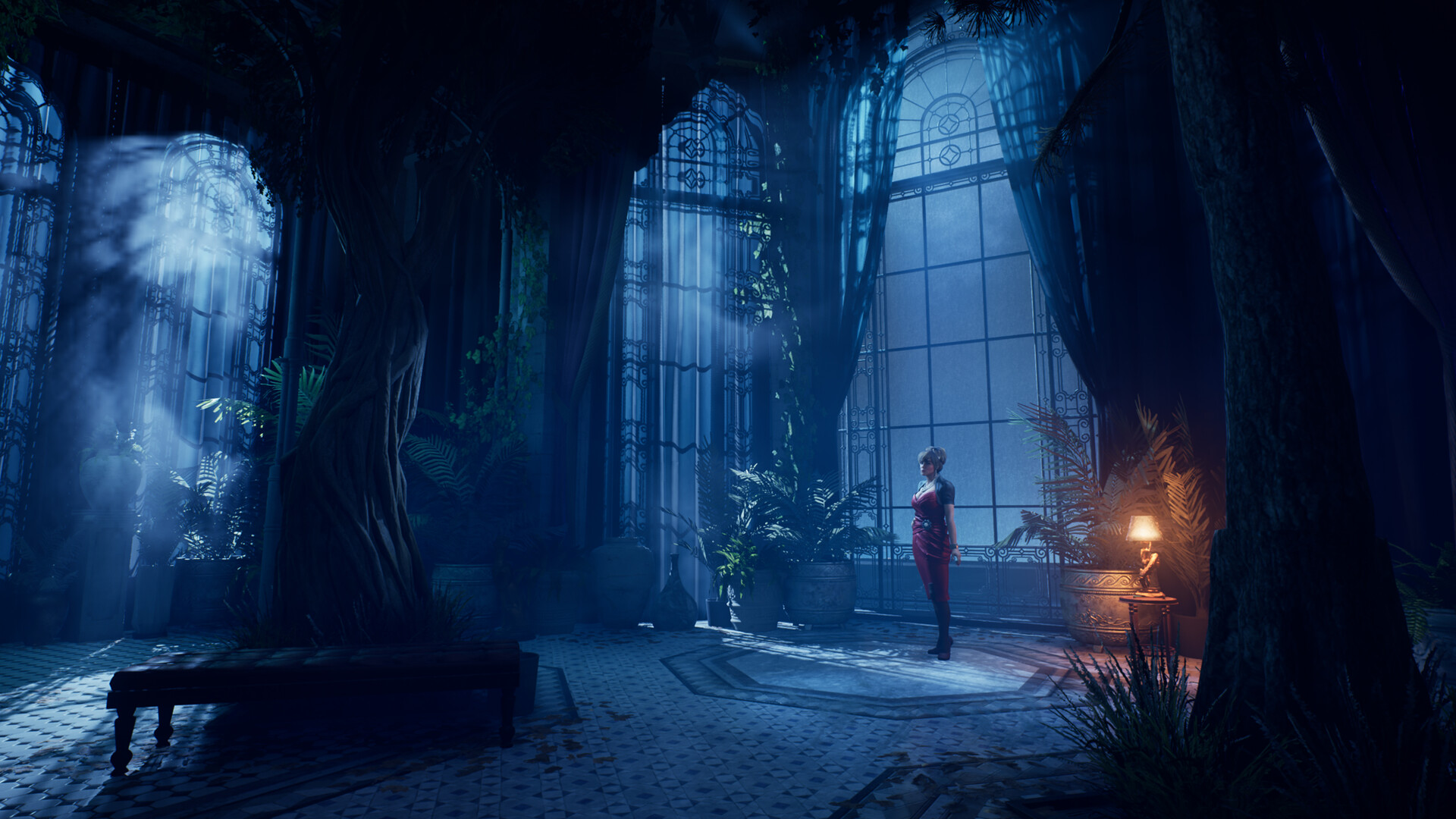
Bloodlines 2 takes place once again in Seattle — a city divided not just by humans, but by clans of vampires all jockeying for power under the ancient rules of the Masquerade. You play as Phyre, an Elder vampire who wakes from centuries of slumber to find a city changed — and a web of alliances, betrayals, and secrets waiting to be untangled.
It’s a story-driven action RPG where every decision can shift your relationships and fate. You can charm, intimidate, manipulate, or simply devour your way through rival factions. The clans you choose from — Brujah, Tremere, Ventrue, Toreador, Lasombra, Banu Haqim — all bring unique powers and dialogue options.
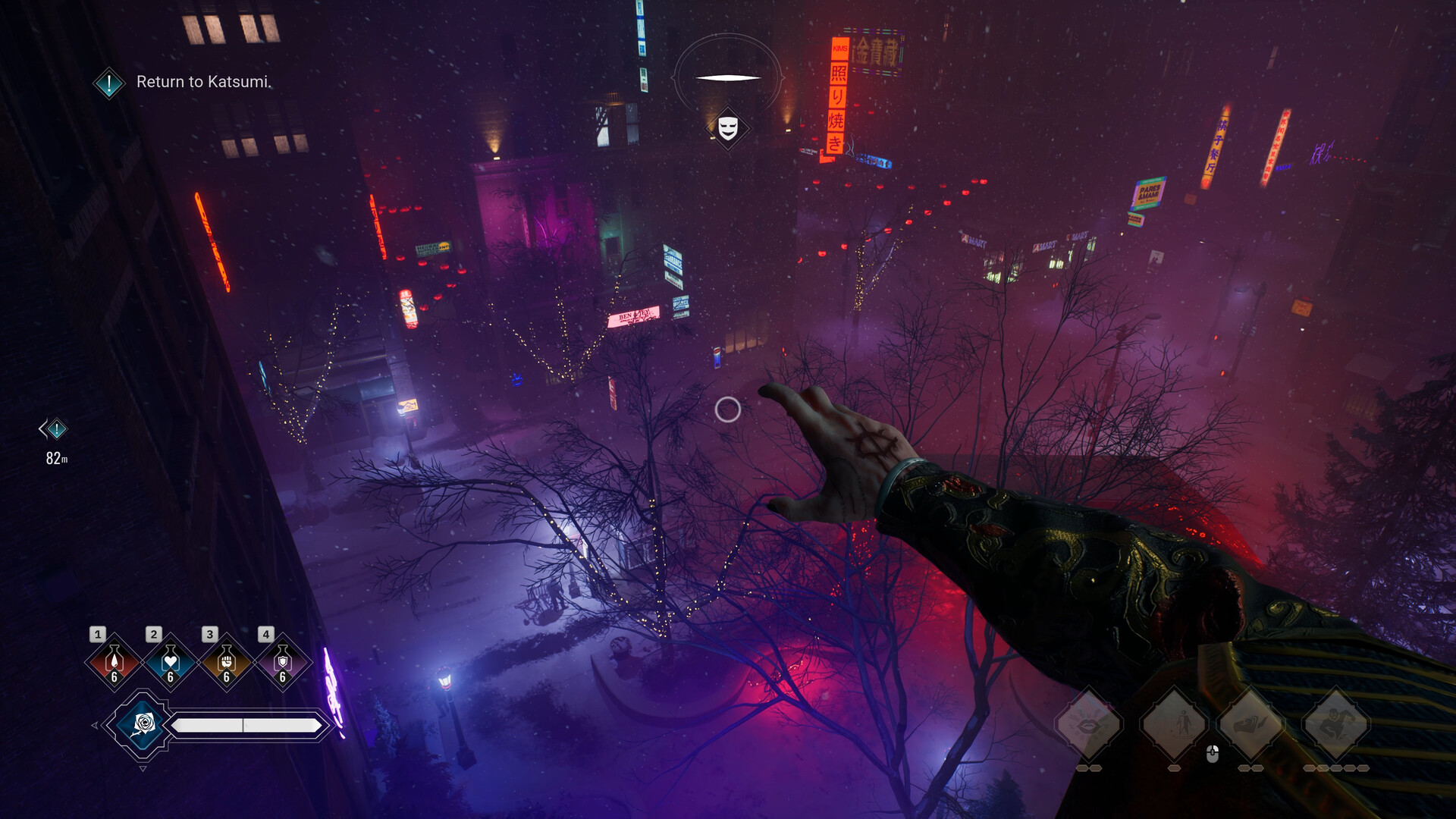
Built on Unreal Engine 5, Bloodlines 2 promises dense, atmospheric districts, neon reflections, and character detail that finally matches its ambition. But all that gothic beauty comes with a cost: you’ll need solid hardware to keep the frame rate high and the shadows deep.
System Requirements – Can Your PC Handle the Masquerade?
Here are the official PC requirements released by Paradox Interactive:
| Requirement |
Minimum
(1080p, Medium) |
Recommended
(1440p / 4K, High) |
| OS |
Windows 10 (64-bit) |
Windows 11 (64-bit) |
| Processor |
Intel Core i3-8350K
AMD Ryzen 3 3300X |
Intel Core i5-12600K
AMD Ryzen 5 5600X |
| Memory |
8 GB RAM |
16 GB RAM |
| Graphics |
NVIDIA GeForce GTX 1060 (6 GB)
AMD Radeon RX 480 (8 GB)
Intel Arc A580 (8 GB, Resizable BAR) |
NVIDIA GeForce RTX 3060 Ti (8 GB)
AMD Radeon RX 6700 XT (12 GB) |
| DirectX |
Version 12 |
Version 12 |
| Storage |
30 GB (SSD Recommended) |
30 GB (SSD Recommended) |
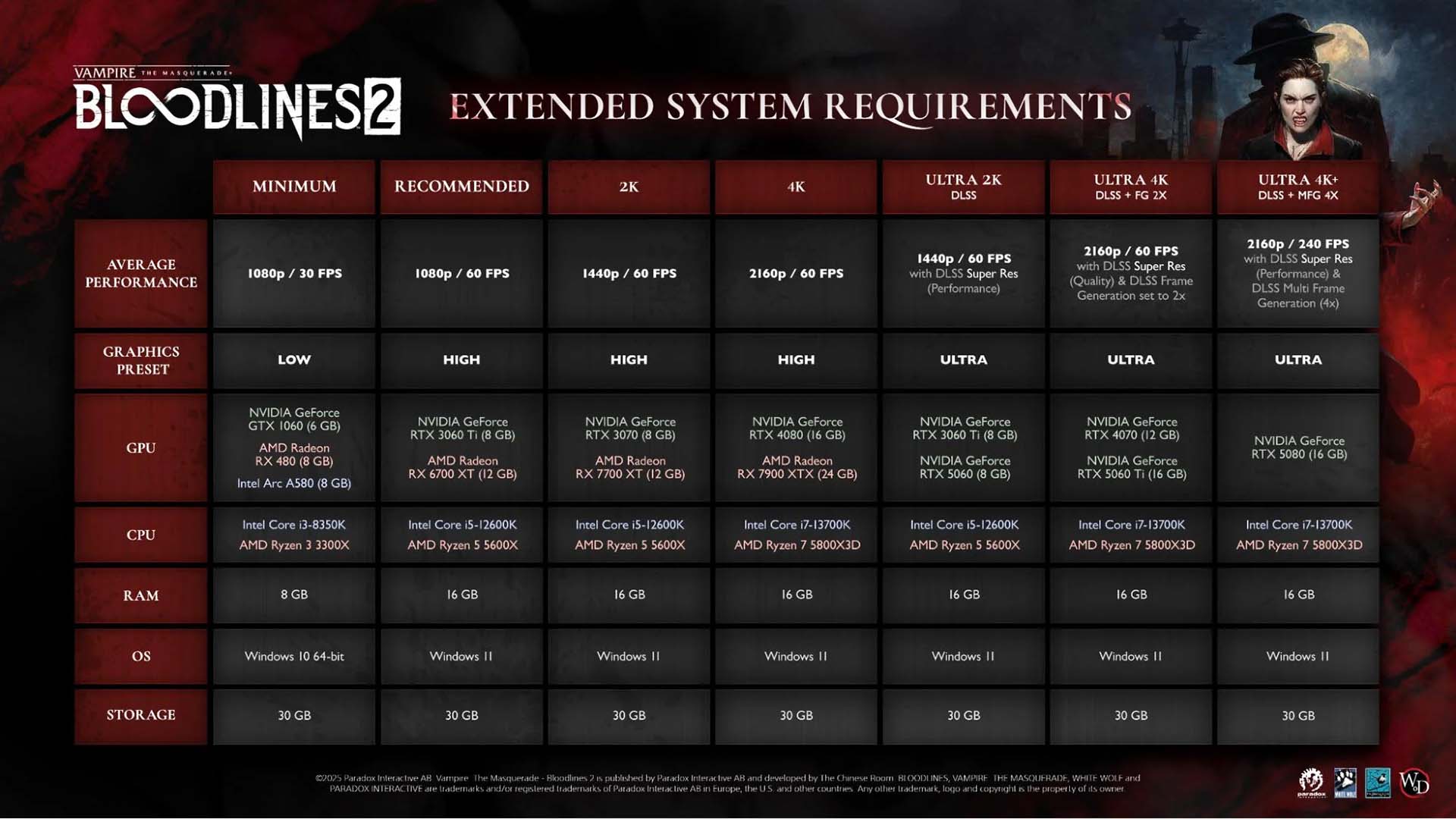
If you’d like a deeper look at how Vampire: The Masquerade – Bloodlines 2 performs across different hardware setups, here’s the official extended system requirements chart. It breaks down what kind of components you’ll need for each performance level — from smooth 1080p gameplay to high-fidelity 4K experiences.
The good news: you don’t need a monster PC to run it.
The better news: a few smart upgrades can make it look incredible.
Specs Explained – What These Requirements Really Mean
Let’s break down what each piece of hardware actually does for your gaming experience — and how you can get the most out of Bloodlines 2.
CPU – Your PC’s Brain
The processor controls everything happening in the background — from vampire AI and crowd movement to dialogue choices loading on the fly.
The older i3-8350K or Ryzen 3 3300X can get you in the game, but they’ll start to show their age once the city opens up.
The i5-12600K in the recommended list brings more cores and threads, meaning smoother gameplay when lots of things happen at once.
At CCL, we suggest going modern with either the Intel Ultra 5 225 or AMD Ryzen 5 9600X. Both are newer, faster, and far more efficient — giving you headroom not just for Bloodlines 2 but for future AAA titles. They’re great “future-proof” CPUs that keep your system relevant for years.
Click here to explore all our CPUs and find the right one for your next gaming build.
GPU – Your Graphics Powerhouse
This is where the magic (and the blood) happens.
The GPU handles lighting, reflections, and the rich details of Seattle’s streets.
A GTX 1060 can handle 1080p Medium settings, while the RTX 3060 Ti or RX 6700 XT can manage 1440p on High.
But those older cards are harder to find now — and they’ll struggle with newer features like AI upscaling.
At CCL, we recommend the NVIDIA RTX 5060 Ti 16 GB or the AMD Radeon RX 9060 XT 16GB.
They’re modern mid-tier cards with DLSS 4 (for NVIDIA) and FSR 3.1 (for AMD) — both use AI to upscale and boost frame rates dramatically. That means you can play smoothly at 1440p or even 4K, with the graphics settings cranked up.
Click here to view all our graphics cards and discover the perfect GPU to bring Vampire: The Masquerade – Bloodlines 2 to life.
RAM – The Game’s Short-Term Memory
8 GB of RAM is the bare minimum, but it’s not ideal. With textures, NPCs, and background loading, Bloodlines 2 runs much smoother on 16 GB or more.
At CCL, you’ll find a huge range of DDR4 and DDR5 kits — whether you’re after sleek RGB lighting or simple reliability. More memory means fewer hiccups and quicker transitions between scenes.
Storage – Where Speed Meets Immersion
An SSD doesn’t just store your game; it determines how quickly you enter it.
Even though the game only needs 30 GB, an NVMe SSD dramatically shortens load times and eliminates stutter when new areas load.
At CCL, we stock both NVMe (super-fast) and SATA (great value) SSDs, so you can choose the best fit for your budget. Either way, say goodbye to the long loading screens of 2004.
Best Pre-Built PCs for Bloodlines 2
If you’d rather skip the screwdriver and dive straight into the night, here are three pre-built CCL gaming PCs tuned for different performance levels.
Entry Level – Horizon Ryzen 5 RTX 5060 Pre-Built Gaming PC (White)









.png?height=24)


